
Version 2024.04, April 2024
Table of contents
New Features
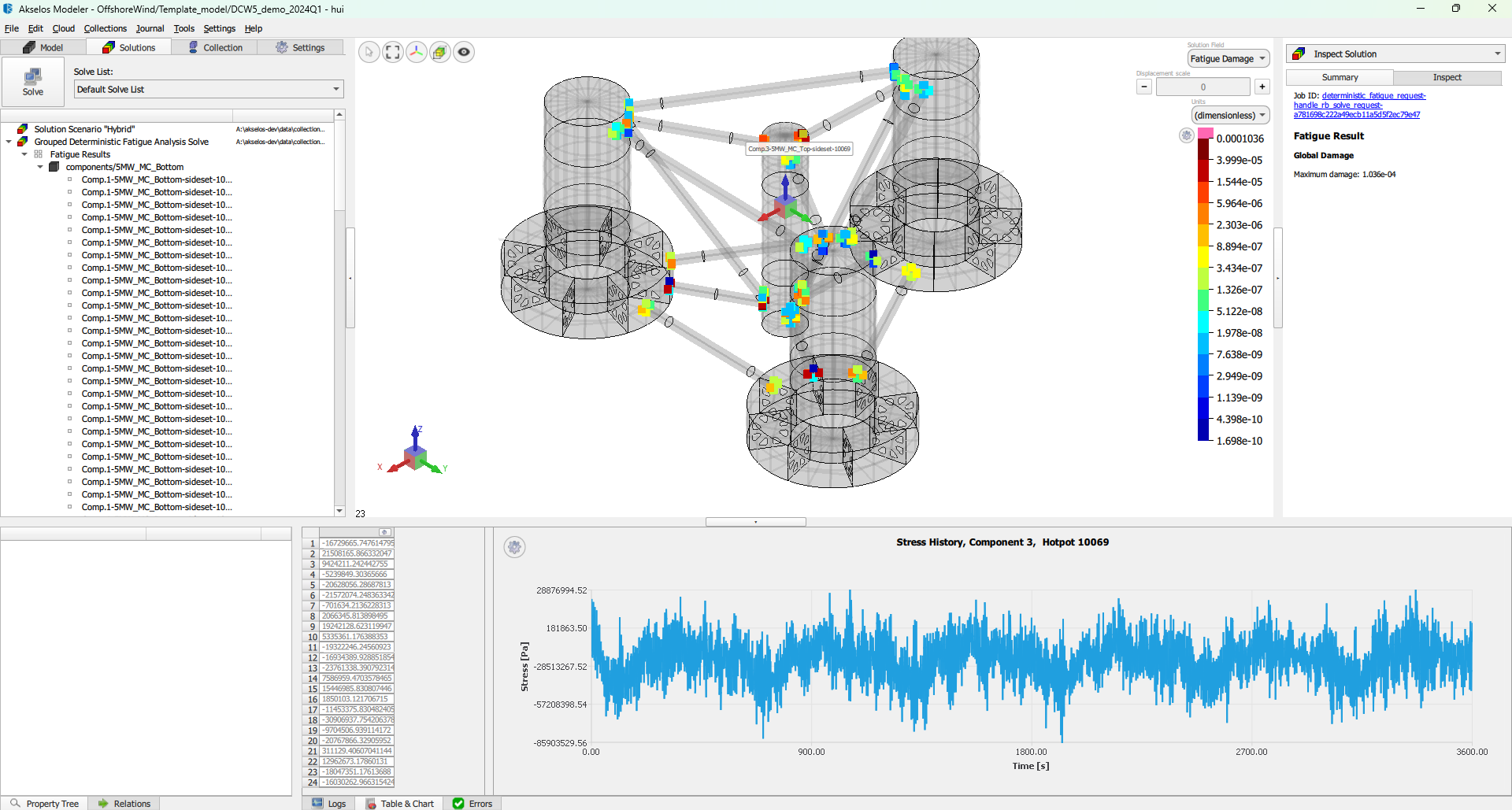
Akselos Modeler Version 2024.04 introduces these user-focused features:
Description
Procedure to Change Cross-section During Design
Improve cross-section modification procedure to be more user friendly.
Extract Internal Forces/ Moments
This feature enables to extract internal loads of the structure and visualize in UI, which will be useful to identify critical time step for strength analysis.
Extract Stress Independent From The Mesh
User can specify coordinate of the stress reading location to perform fatigue analysis (Manual definition of coordinates, no UI).
Ansys Mesh Importer
Mesh and material properties can be imported from Ansys to Akselos using the Nastran format (shell elements).
Extract External Total Load
The element external total load can be exported from the solution, e.g. lateral pressure.
Buckling Check Update and Verification Spreadsheet
The Buckling check takes the lateral pressure into account. Implementation of verification spreadsheet for different panel types.
WorkFLOWT Application
Description
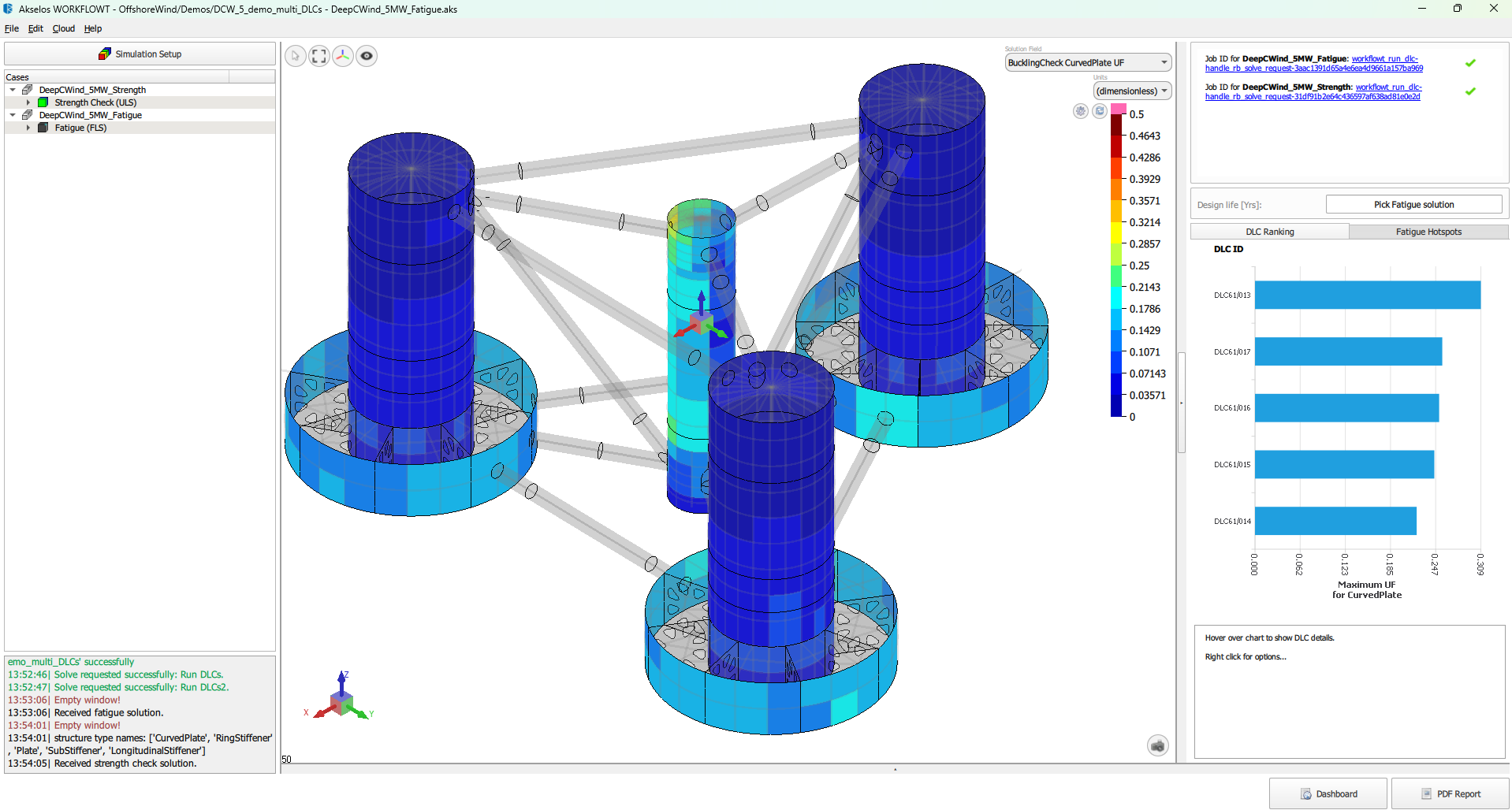
Floater Concept Selection
Users can select from various predefined floater concepts to match their project phases.
Design Load Case (DLC) Selection
The tool lets users select a list of Design Load Cases (DLCs) for comprehensive floater analysis, covering all potential scenarios and conditions.
Cloud-Based Simulations and Assessments
WorkFLOWT performs all simulations and assessments on the Cloud, harnessing ample computational power to ensure efficient analysis without local hardware limitations.
3D UI for Results Inspection
After completing simulations and assessments, the tool consolidates results and presents them via an effective 3D UI, enhancing result comprehension and decision-making.
Automatic PDF Report Generation
The tool automatically generates and exports comprehensive PDF reports, which makes documentation and sharing of assessment findings with stakeholders easy.
How to Upgrade (for Innovate Users)
Easily upgrade your Akselos Modeler by following these steps:
- Download the latest version of Akselos Modeler from the Download Modeler link on dashboard.akselos.com, which takes you here.
- Installation instructions for Akselos Modeler are on the same page; see here.
Request a Demo
Would you like to see our upgrade in action? Book a demonstration from our support team.
BOOK A DEMOShare your Feedback
We value your input. If you have any comments, questions, or suggestions about the Akselos Modeler Version 2024.04, please don’t hesitate to contact our team.
CONTACT US NOW